🧠
40nm Premium RSX Swap / Replacement
Our preferred Frankenstein RSX: factory bare-die 40nm silicon from select Super Slim MSX/MPX donors with a completely renewed die-level thermal interface.
View service details → iKon Technical SolutionsPS3 Hardware Restoration
PS3 Frankenstein Repair Service
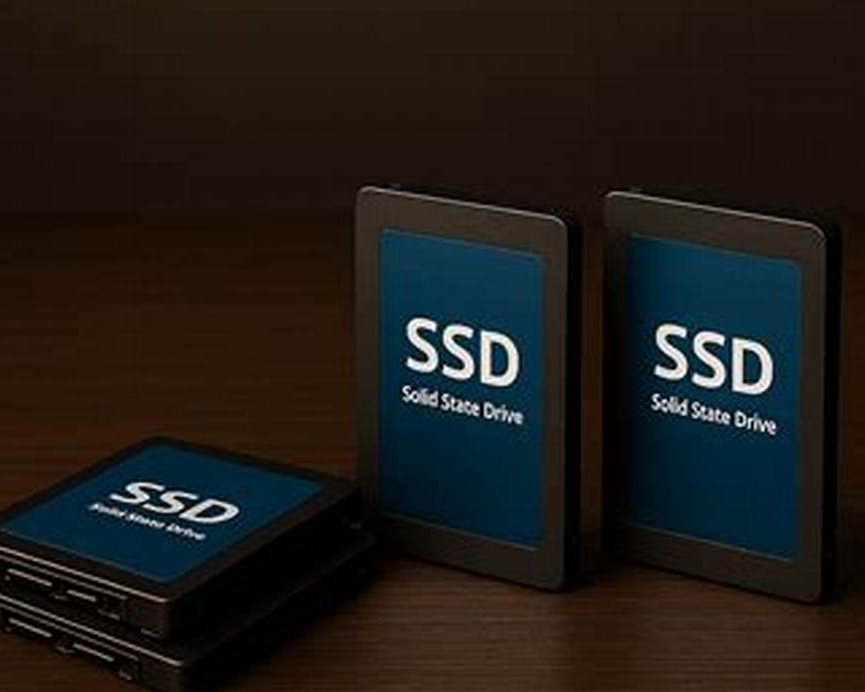
PS3 SSD upgrade for FAT PlayStation 3 consoles. Fresh SSD installation, direct encrypted HDD cloning, and advanced console-key data migration with full-capacity UFS2 expansion available.
This is physical electronics repair only. This service does not include custom firmware, jailbreaks, modchips, copied games, downloaded games, piracy tools, firmware or system software modification, copyright bypassing, or instructions for accessing paid content.
Service Overview
A modern solid-state drive is one of our favorite finishing upgrades for a long-term PlayStation 3 restoration.
Not because we are going to tell you that an SSD magically turns a 2006 PlayStation 3 into a modern gaming PC.
It does not.
The PS3 itself limits storage performance, so the enormous read and write speeds advertised on a modern SATA SSD cannot be fully utilized by the console.
Our reasons for recommending an SSD are broader:
The SSD is part storage upgrade, part reliability upgrade, and part of our overall power-and-heat reduction strategy.
This is important because not every customer needs expensive data-preservation work.
We divide PS3 SSD upgrades into three general levels:
Those are very different jobs with very different amounts of labor.
If you do not care about anything stored on the original hard drive, this is by far the easiest and most economical option.
We remove the old mechanical hard drive, install the selected compatible 2.5-inch SATA SSD, initialize the storage for the console, install the required system software where applicable, and test the completed system.
That's it.
There is no reason to pay us for hours of encrypted disk work if nothing on the original hard drive matters to you.
No important data? Pick the SSD capacity and move on.
There is also a very useful middle option.
If you want to preserve everything on the original PS3 hard drive but do not care about increasing the usable storage capacity, we can perform a direct sector-level hardware clone from the original HDD to an SSD.
This works because the cloning equipment does not need to understand the PlayStation 3 filesystem or decrypt the customer's data.
It simply copies the source disk at the block level:
Sector for sector. Bit for bit. Encrypted data remains encrypted.
The resulting SSD contains the same encrypted storage structure that existed on the original HDD and is intended to go back into the same PlayStation 3.
This is one of the useful characteristics of a raw hardware clone.
The PS3's HDD encryption can remain completely intact.
From the cloning system's perspective, encrypted PS3 sectors are simply data blocks.
It does not matter whether the contents represent:
The cloning equipment copies the sectors without needing to interpret them.
For straight HDD-to-SSD migration, we can therefore preserve the encrypted installation without performing the much more involved console-key workflow.
This is the major limitation.
A direct sector clone reproduces the original storage layout.
For example:
60GB original HDD → 500GB SSD
The destination SSD may physically contain 500GB, but the cloned PS3 installation still contains the original approximately 60GB storage geometry.
The extra capacity does not automatically become usable just because the physical destination is larger.
Likewise:
The remaining physical SSD capacity is essentially stranded until the PS3 storage structure and filesystem are properly expanded.
This is especially relevant for launch backwards-compatible systems.
A CECHA01 originally shipped with approximately 60GB of storage.
Many CECHE-era systems shipped with approximately 80GB.
Some customers have owned these consoles for nearly twenty years and never filled the original hard drive.
If that describes you, there may be absolutely no practical reason to pay for advanced filesystem expansion.
If you have been perfectly happy with 60GB for the last twenty years, putting that exact 60GB installation onto a new SSD may accomplish everything you actually wanted:
You may technically be "wasting" hundreds of gigabytes on the larger SSD, but if you never needed that capacity anyway, who cares?
For many original backwards-compatible systems, direct cloning can therefore be a very attractive compromise:
Preserve everything. Replace the ancient HDD. Skip the expensive expansion work.
That can make considerably more financial sense than performing an advanced encrypted filesystem expansion simply because the SSD happens to contain additional physical capacity.
This is the advanced option.
If you want:
All of your existing PS3 data + your original environment + the full usable capacity of the larger SSD
then a direct hardware clone is only the beginning.
The PlayStation 3's internal drive uses a console-specific encrypted storage structure.
To expand that existing installation properly, we have to work with the encrypted disk itself rather than simply copy it.
This is where our dedicated PS3 storage-recovery environment comes into the process.
The internal HDD is encrypted using key material associated with the individual PlayStation 3.
The drive from one PS3 is therefore not ordinary interchangeable storage that can simply be moved into another PS3 and browsed.
A different console does not possess the same storage keys.
If that other console initializes the drive, the original usable storage environment can be destroyed.
When the data matters, the original motherboard and its console-specific key material matter too.
For advanced encrypted storage work, we obtain the appropriate console-specific cryptographic information, commonly including the EID Root Key or ERK.
That console-specific information allows the ATA encryption key material required to interpret the internal HDD to be derived.
This is not a universal PlayStation 3 password.
It is specific to the individual console.
That is why the original motherboard is critically important when we are trying to preserve an encrypted storage environment.
We maintain a dedicated Linux environment under Windows Subsystem for Linux - WSL for advanced PlayStation 3 storage work.
This is not a normal Windows cloning program.
The environment allows us to work directly with physical PS3 storage devices and recreate the transformations necessary to interpret the console's encrypted disk structure.
Depending on the hardware revision and operation being performed, the workflow can involve:
Windows normally sees an encrypted PS3 HDD as a drive containing data it does not understand.
It cannot simply assign the PS3 GameOS filesystem a drive letter and browse it in File Explorer.
The early backwards-compatible PS3 storage architecture uses console-specific encryption together with additional storage transformations that have to be recreated correctly before the underlying filesystem becomes meaningful.
Our dedicated environment exists specifically to handle that process.
After the required encrypted storage layers are correctly mapped, the primary GameOS storage area contains a UFS2 filesystem.
This presents another problem for capacity expansion.
Windows Disk Management cannot simply click "Extend Volume" on a PS3 UFS2 filesystem.
The filesystem itself has to be checked and expanded using tools that properly understand its internal structures.
For the actual UFS2 expansion stage, our advanced workflow can use a controlled BSD environment with native Fast File System utilities.
The process may include:
That is how a 60GB installation cloned onto a much larger SSD actually becomes a larger usable PS3 installation.
| Feature | Fresh SSD | Hardware Clone | Clone + Expand |
|---|---|---|---|
| New SSD | Yes | Yes | Yes |
| Preserves old data | No | Yes | Yes |
| Preserves profiles / saves / environment | No | Yes | Yes |
| Requires decrypting the source for the basic migration | No | No | Yes |
| Requires console-specific key work | No | No for basic sector clone | Yes |
| Uses full capacity of larger SSD | Yes | No - retains original storage geometry | Yes |
| Complexity | Low | Moderate | High |
| Typical purpose | Start fresh | Move original installation off aging HDD | Preserve everything and increase capacity |
| Additional labor | Standard installation | Clone labor | Considerable specialized data-migration labor |
This is worth emphasizing because it sounds counterintuitive.
The data on the original hard drive is encrypted.
But a cloning device does not need to understand that encryption to duplicate the disk.
Imagine copying a sealed locked box.
We do not need the key to the box if our only goal is to produce an exact duplicate of the entire locked box.
The destination SSD receives the same encrypted sectors, and the original PlayStation 3 still possesses the key necessary to interpret them.
We only need to open the cryptographic "box" when we want to manipulate what is inside - such as expanding the filesystem to use additional capacity.
A direct hardware clone assumes the original HDD can still reliably provide its data.
If the source drive has:
then the operation may no longer be a simple cloning job.
At that point we may need to use controlled imaging or data-recovery techniques designed to extract as much readable information from the failing disk as possible.
A healthy-drive migration and a failing-drive recovery are not the same service.
When customer data matters, we try to avoid unnecessary modifications to the original drive.
The old HDD remains our source.
Any experimental expansion, filesystem manipulation, or advanced recovery work should be performed on a clone or image whenever practical.
You do not experiment on the only copy of someone's twenty-year-old saved data.
This is another area where we prefer realistic expectations.
The PlayStation 3 uses an internal SATA-150 / 1.5Gbps storage controller.
A modern SATA SSD may advertise sequential speeds above 500MB/s, but the PS3 simply cannot utilize that level of interface throughput.
There can still be improvements because an SSD eliminates mechanical seek time and has extremely fast random access compared with a 5400RPM hard drive.
Depending on the game and workload, that can improve:
But the improvement is workload dependent.
We do not sell the SSD by promising enormous loading-speed gains.
That is not the main reason we like it in a premium Frankenstein system.
Every electrical device inside a console ultimately contributes some amount of heat.
A traditional hard drive contains a motor that must spin a platter at approximately 5,400 RPM while an actuator physically moves the read/write heads across the disk.
The original 60GB drive commonly found in a CECHA-era PS3 can consume approximately:
Those are not enormous numbers compared with a FAT PS3 drawing well over 100 watts as a complete system.
We are not pretending an SSD is going to reduce total console consumption by 20 or 30 watts.
But the objective of our premium cooling and efficiency strategy is not to find one magical component.
It is to reduce waste everywhere practical.
A premium Frankenstein build is a combination of improvements.
For example:
None of those improvements should be judged entirely in isolation.
The idea is cumulative.
Nearly all of the electrical energy consumed inside an electronic system ultimately becomes heat somewhere in that system.
If we can remove even a small continuous electrical load without sacrificing functionality, that is one less source of thermal energy the chassis and cooling system have to deal with.
An SSD is therefore another piece of the same design philosophy:
Reduce unnecessary watts. Reduce unnecessary heat. Reduce moving parts. Reduce the number of old components we expect to survive another decade.
It would be inaccurate to claim that every SSD uses dramatically less power than every mechanical hard drive under every workload.
Some modern SATA SSDs can still consume around a couple of watts during heavy active reads and writes.
However, an SSD has no spindle motor, no actuator, no seek mechanism, and no mechanical spin-up event.
Many SSDs also have extremely low consumption during supported idle or low-power states.
The exact saving inside a PS3 depends on:
So we call the thermal and wattage reduction a small but worthwhile supporting benefit - not a miracle cooling modification.
A traditional HDD continuously performs mechanical work while active.
The platter has to rotate.
The spindle bearings have to operate.
The actuator has to position the heads.
An SSD replaces that entire mechanical system with NAND flash and a controller.
The result is:
Inside a premium restoration, that is valuable even if the raw performance increase is modest.
The launch CECHA systems shipped with 60GB mechanical drives in 2006.
Many surviving backwards-compatible consoles still contain that original storage hardware.
A mechanical drive from that era may have survived thousands of power cycles and years of:
A functioning old HDD does not automatically mean it is about to fail tomorrow.
But on a console we are rebuilding specifically for long-term service, replacing that aging mechanical device with new solid-state storage is a sensible option.
The listed SSD service price is a general range because storage pricing changes continually.
SSD pricing is driven by NAND flash supply, manufacturing capacity, consumer demand, server and data-center demand, and the broader semiconductor memory market.
Prices can change from week to week.
Specific models can also become:
For that reason, the actual SSD is priced based on the capacity and quality drive available when your restoration is being performed.
Just as with the capacitors and other electrical components used in our Frankenstein builds, storage selection matters.
We prefer known manufacturers and established retail or distribution channels rather than an unknown marketplace SSD simply because the label claims a large capacity.
Depending on current availability, we evaluate:
The PS3 does not need a record-breaking enthusiast SSD.
It needs a reliable SATA SSD that behaves properly on an older SATA controller.
More is not automatically better.
For a mostly physical-disc collection, a moderate-capacity SSD may provide plenty of storage for:
Larger capacities make more sense for customers maintaining extensive digital libraries, homebrew installations, copied game collections, media, or other storage-intensive configurations.
If you have been using an original 60GB HDD for twenty years and still have free space, you probably do not need to pay us to engineer a giant filesystem just because 1TB SSDs exist.
This is exactly where the hardware-clone option shines.
We can take the original 60GB or 80GB encrypted installation and reproduce it onto a compatible SSD.
The PS3 keeps seeing essentially the same storage environment.
You keep the data.
You get rid of the old mechanical drive.
You avoid the expensive encrypted expansion process.
The unused capacity on the SSD is wasted, but sometimes wasting inexpensive flash memory is cheaper than paying for hours of specialist labor you do not actually need.
The advanced process makes sense when:
Then we can justify obtaining the console-specific key and performing the complete encrypted storage expansion correctly.
The SSD itself may be inexpensive compared with the labor required to preserve and expand the encrypted PS3 installation.
A full advanced job can involve:
That is specialized encrypted data migration, and it is quoted separately from the SSD purchase itself.
A failing source disk can significantly change the job.
If a hardware clone encounters unreadable sectors, the safest path may involve specialized imaging and recovery techniques rather than repeatedly forcing the old mechanical drive through a conventional clone.
Potential symptoms include:
At that point, we are performing data recovery rather than an ordinary SSD migration.
Additional recovery work would be discussed separately.
Because PS3 internal storage uses per-console encryption, an important original HDD should remain associated with the motherboard it came from.
If the data matters, do not install the drive in another console and allow that system to format or initialize it.
Keep the HDD with its original motherboard and tell us the data is important before any storage work begins.
Nothing on the old HDD matters?
Install a fresh SSD. Cheapest and easiest.
You want everything exactly as it is, and the original 60GB or 80GB capacity has always been enough?
Hardware clone it to the SSD and accept that the remaining SSD capacity will not be usable.
You want everything preserved AND significantly more usable space?
That is the advanced clone-and-expand service.
We do not primarily recommend an SSD because of speed.
The PS3 storage controller is too old to exploit the full transfer capability of a modern SSD, and anyone promising modern-PC storage performance from a PS3 is ignoring the limitations of the console itself.
We recommend it because it replaces an aging mechanical device, eliminates the spindle and head assembly, removes vibration and drive noise, can reduce another small source of electrical consumption and heat, and fits our overall strategy of reducing unnecessary watts wherever practical.
Our premium Frankenstein philosophy is cumulative:
Better RSX. Lower processor power. Efficient PSU. Proper thermal transfer. Good airflow. Modern solid-state storage.
No single one of those modifications makes the console immortal.
Together, they reduce the amount of electrical and thermal stress we ask a nearly twenty-year-old system to handle.
Less power consumed means less heat we have to remove.
If your old data does not matter, install the new SSD and be done with it.
If the data matters but 60GB or 80GB is enough, a direct hardware clone may be the smartest value.
If the data matters and you want the full capacity of a larger SSD, we have the specialized console-key, WSL/Linux and UFS2 expansion workflow to do it properly - but that additional preservation work carries a considerably higher labor cost.
Choose the level of storage work you actually need. We are not going to charge you for a complicated solution to a problem you do not have.
Premium Packages Customized to your budget.
Related Service Options
Most premium restorations combine multiple hardware services depending
on the condition of the console.